
Video retention graph: how to read your VSL's audience retention curve and fix the drop-offs
A retention graph shows the share of viewers still watching at every second of your VSL. This guide shows how to read its shapes, turn a drop on the chart into a line in your script, measure the pitch, and run a fix-and-retest loop.
On this page
- What does a video retention graph show?
- The five shapes in a VSL retention curve
- Normal vs alarming: how to judge a drop without benchmarks
- Worked example: reading one curve
- How to turn a graph position into a script timestamp
- A workflow to fix the three steepest drops
- Pitch retention: the number that matters most
- Segment the curve before you rewrite anything
- Common retention-graph mistakes
- A 30-minute retention review
- Frequently asked questions
A video retention graph plots, for every second of your video, the percentage of starting viewers who are still watching. Read it from left to right: the size of the early cliff, the slope of the decline, sharp drops at specific seconds, spikes from rewatching, and the share still watching when the pitch starts. That last number, pitch retention, matters most for a VSL.
What does a video retention graph show?
The five shapes on one curve
Illustrative 20-minute VSL with the pitch at minute 15: share of starting viewers still watching
Minutes into the video
Show the numbers
| Minutes into the video | Still watching |
|---|---|
| 0 | 100% |
| 1 | 64% |
| 2 | 60% |
| 3 | 56% |
| 4 | 54% |
| 5 | 52% |
| 6 | 50% |
| 7 | 43% |
| 8 | 42% |
| 9 | 40% |
| 10 | 39% |
| 11 | 37% |
| 12 | 39% |
| 13 | 36% |
| 14 | 35% |
| 15 | 33% |
| 16 | 28% |
| 17 | 25.5% |
| 18 | 23% |
| 19 | 20.5% |
| 20 | 18% |
The horizontal axis is time in the video. The vertical axis is the share of viewers who started the video and are still watching at that second. At 0:00 the line sits at 100%, and from there it can only fall, except where people rewind or rewatch. Retention is one stage of the VSL metrics chain, sitting between play rate and the offer.
Three definitions decide what you are looking at:
- Who counts as a starter. On a click-to-play page, everyone who pressed play. On a muted-autoplay page, the curve may include everyone whose teaser started, including people who never turned on sound, which makes the first seconds look much worse than your real audience's experience. Find out which your tool uses.
- Absolute or relative. Absolute retention is the share of your own starters still watching. Some platforms also compare your curve with other videos; for a VSL, your own previous versions are the better yardstick.
- Viewers or views. If one person rewinds and watches a section twice, some charts count that section twice. YouTube's help documentation, for example, notes that segment views can exceed a video's total views because of rewatching, and describes spikes as moments that were rewatched or shared.
In RevvyScales, the retention chart is second by second with your pitch time marked on it, and you can compare one period with another (reading your analytics).
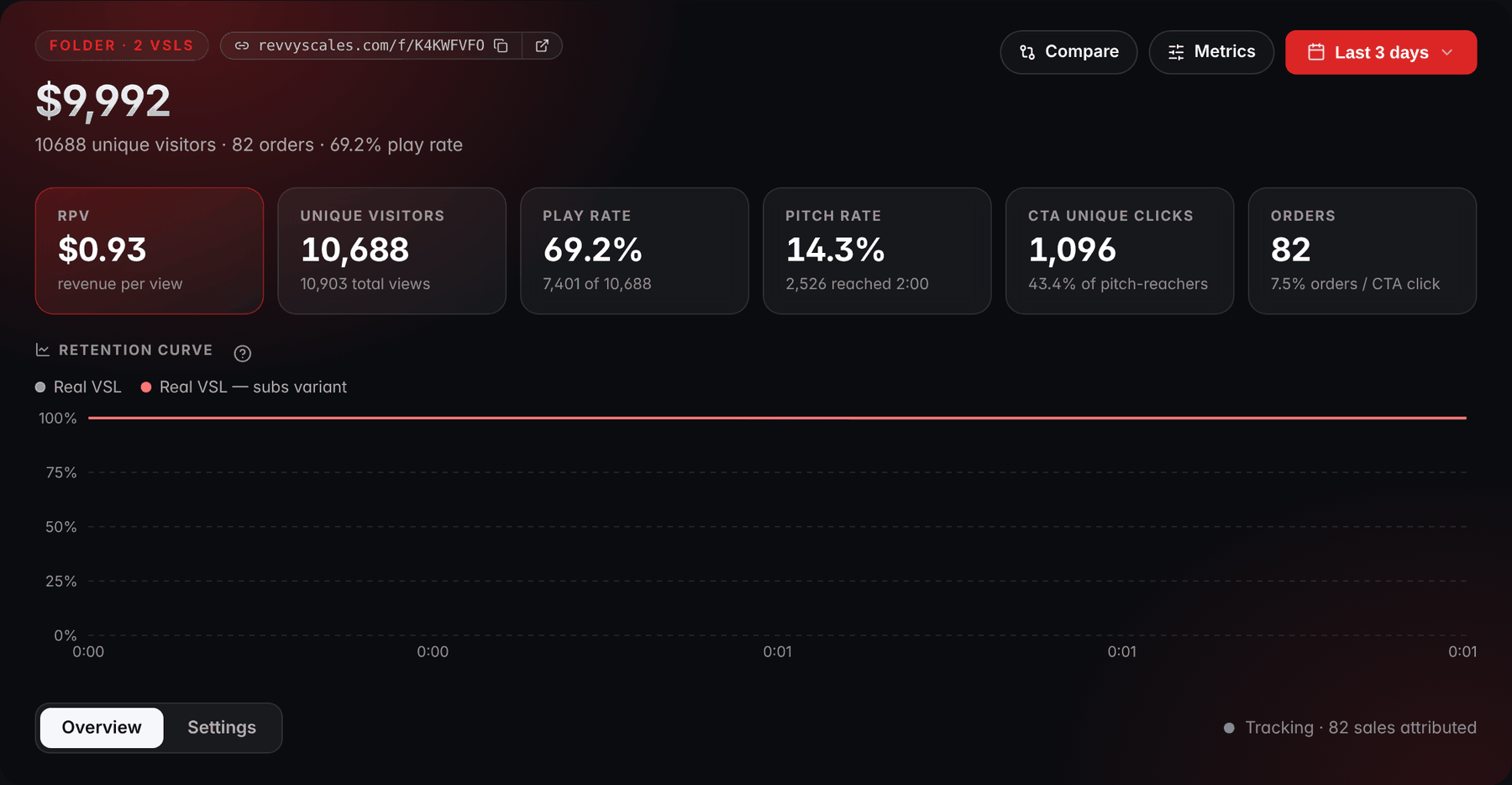
- Date rangeThe date range sets the period behind the curve and the tiles; the comparison with the previous period is switched on from the date picker.
- One line per VSLEach VSL in the folder gets its own line, so two versions can be read on the same chart.
- Vertical axisThe vertical axis is the share of viewers still watching, from 100% down to 0%.
- Horizontal axisThe horizontal axis is time in the video.
The five shapes in a VSL retention curve
1. The early cliff
Curves tend to fall fastest in the first 30 seconds, as people arrive, sample and decide. YouTube even reports the share still watching after the first 30 seconds as its own "intro" number. The cliff itself is normal; its size is what you judge, against your own previous versions. A cliff that grows after you change the ad, the headline or the opening lines of the script is telling you the opening no longer continues the promise.
2. The steady decline
After the opening, a well-built VSL loses viewers at a slow, fairly even pace. A steeper slope across a whole section, rather than a sudden step, usually means that section is slow: a story that takes too long, proof that repeats itself, a mechanism explained in more detail than anyone asked for.
3. Sharp drops at transitions
A sudden step down at one moment is the most actionable shape on the chart. It tends to sit at a transition: the end of the story and the start of the explanation, a change in visual style, a line that sounds like a wrap-up ("so that's my story"), or a claim that strains belief. Viewers who were coasting take the transition as a natural exit.
4. Spikes and bumps
A short rise means more people were watching that second than the second before. Rewinds cause it, which can mean a moment was compelling or that it was confusing. If your player resumes returning viewers where they left off, their sessions can also join the curve mid-video, depending on how your tool counts them. A visible seek bar adds jumps: people skipping ahead show up as a drop before the jump and a bump after it.
5. The pitch drop and the tail
When the price appears, a share of viewers leaves. Some are non-buyers who now have the information they wanted. Others are buyers: when the buy button appears with the pitch, people who click it leave the video for the checkout, and the chart records them as drop-off. So never read the post-pitch tail alone; read it next to CTA clicks. A big drop at the pitch with strong clicks is a pitch that works. A big drop with few clicks is a pitch that pushes people away.
Normal vs alarming: how to judge a drop without benchmarks
Height on the chart misleads, because later sections have fewer viewers left to lose. Losing 30 viewers out of 1,000 is minor; losing 30 out of 300 is not. Judge each segment by its drop rate:
Then compare segments with each other. A practical rule of thumb: after the first minute, flag any segment before the pitch whose drop rate is at least twice the median of those segments. Those are the moments your script loses people faster than its own normal pace. The threshold is a working heuristic, not a law; tighten or loosen it once you know your own videos.
Over time, compare against your previous versions of the same VSL on the same traffic, not against other people's videos. Their length, audience and autoplay setup all differ from yours.
Worked example: reading one curve
Here is an illustrative 20-minute VSL with the pitch at 15:00 and 1,000 sound-on starters, read at its key points:
Drop rate per minute, segment by segment
Illustrative 20-minute VSL, pitch at 15:00, 1,000 sound-on starters
The rates are scaled to one minute so that segments of different lengths compare fairly. The first half-minute loses 30% of starters, which is a pace of 60% per minute.
Reading it:
- The first 30 seconds lose 30% of starters. That's the early cliff; judge it against previous versions, not in isolation.
- Between 1:00 and the pitch, the median drop rate is about 4.8% per minute. The 6:00–6:30 segment runs at 24% per minute, roughly five times that, and no other segment in that stretch comes close to twice the median. That's the alarm.
- Pitch retention is 330 ÷ 1,000 = 33%.
- The pitch minute loses 15% of the viewers present, and some of them are buyers on their way to checkout.
Now price the fix. Say a re-edit at 6:00 saves 40 of the 60 viewers lost there, so 480 are still watching at 6:30 instead of 440. If they continue at the same pace as everyone else (330 of 440, or 75%, made it from 6:30 to the pitch), pitch viewers rise from 330 to 360 and pitch retention from 33% to 36%.
With 25% of pitch viewers clicking, half of the clickers buying and $100 of revenue per buyer, that is 30 × 0.25 × 0.50 × $100 = $375 more revenue per 1,000 starters. Treat it as a ceiling, because rescued viewers may be less committed than the ones who stayed anyway. The split test tells you the real number.
How to turn a graph position into a script timestamp
A drop is only useful once you know which line caused it. Build a retention map: your script split into beats, each with its start time in the final edit.
- Use the final export's timecode, not the script draft. Any re-edit shifts everything after the change, so update the map whenever the video changes.
- Read the 10 to 20 seconds before the drop. People decide to leave a moment before they act, so the cause usually sits just upstream of the exit.
- Check the playback speed. If the video plays at 1.1x, a beat at 10:00 of video arrives after about 9:05 of watching (10 ÷ 1.1 = 9.09 minutes). Know whether your chart's axis shows video time or watch time.
- Ignore the progress bar's position. A non-linear progress bar shows viewers a position that differs from the real time. The chart uses real time, and so should your map.
- Account for restarts. If the player rewinds to 0:00 when a first-time viewer unmutes, those viewers watch the opening seconds twice, once muted and once with sound. Depending on how your tool counts, the very start of the curve can behave differently from the rest.
A workflow to fix the three steepest drops
Six steps, in order. Open each one for what to do and why it matters:
Fix the three steepest drops
Six steps, from reading the curve to the split test
1Read the curve in segments
What happens: Every 30 seconds or at each beat in your retention map, compute each segment's drop rate.
Why it matters: Height on the chart misleads, because later sections have fewer viewers left to lose.
2Pick the three steepest segments before the pitch
What happens: Leave out the first 30 seconds, which you treat as a separate problem: the hook.
Why it matters: If your buy button stays hidden until the pitch, only viewers who reach it can buy on this visit.
3Watch the video at each one
What happens: Open the script and start 20 seconds before the drop.
Why it matters: People decide to leave a moment before they act, so the cause usually sits just upstream of the exit.
4Write a hypothesis for each
What happens: Name the cause: confusion (a term or step viewers don't follow), a broken promise (the video stopped delivering what the hook set up), drag (the section runs too long), a false ending (a line that sounds like the end), or a visual break (a jarring cut or slide change).
5Fix the cause, not the symptom
What happens: Cut drag, clarify confusion, and before a natural exit point give a reason to keep watching, such as an open loop that pays off later.
Why it matters: The idea that each line's job is to get the next one watched is the slippery slide, applied to video.
6Re-test with a split, not a before-and-after
What happens: Send the old and new edits the same traffic at the same time and compare pitch retention and revenue per visitor; the VSL A/B testing guide covers the setup.
Why it matters: A new ad or audience changes the curve as much as a new edit does.
Avoid fixing ten things at once. If retention rises you won't know which change did it, and if it falls you won't know what to undo.
Pitch retention: the number that matters most
If your buy button stays hidden until the pitch, only viewers who reach it can buy on this visit. Every point of pitch retention flows straight into sales, which is why it is the retention number to track week to week.
You can derive a target for it from your economics instead of a benchmark:
Break-even pitch retention
Break-even pitch retentionbreak-even RPV ÷ (play rate × revenue per pitch viewer)
Revenue per pitch viewerCTA click rate × checkout conversion × revenue per buyer
Break-even RPVcost per visitor ÷ contribution margin
Example, with the numbers below: $2.50 ÷ (0.60 × $12.50) = 33.3%.
Revenue per pitch viewer is CTA click rate (clicks ÷ pitch viewers) × checkout conversion × revenue per buyer. Say visitors cost $1.50 and your margin is 60%, so break-even RPV is $1.50 ÷ 0.60 = $2.50. With 60% of visitors starting the video (use your unmute rate if you count starters from the unmute), 25% of pitch viewers clicking, half of the clickers buying and $100 of revenue per buyer, each pitch viewer is worth $12.50, and break-even pitch retention is $2.50 ÷ (0.60 × $12.50) = 33.3%. Below that line the funnel loses money unless another stage improves. The curve in the worked example, at 33%, sits just under it; the fix that lifts it to 36% would clear it.
Two ways to raise it:
- Lose fewer people before the pitch, using the workflow above.
- Shorten the road to the offer. If your curve shows a long, slow decline, reaching the pitch sooner can raise pitch retention. Cutting the wrong material can also lower conversion among the viewers who stay, so test the shorter cut rather than assuming it wins. The VSL length guide uses the same curve to decide what to trim.
Check the reverse problem too: a reveal second set later than the actual price mention, so the button appears after many viewers have already left. The pitch marker should sit where the offer is first presented; the delayed CTA guide covers choosing that second.
Segment the curve before you rewrite anything
A blended curve averages different audiences together. Before you rewrite a section, check whether the drop belongs to everyone or to one group:
- Device. A drop that appears only on phones can be a text-on-screen slide too small to read on a small screen.
- Traffic source. Cold traffic and retargeting audiences know different things. A section that bores warm viewers may be exactly what cold viewers need.
- New vs returning viewers. Returning viewers who resume mid-video don't behave like first-timers. Analyze them separately or leave them out.
- Sound on vs muted. On autoplay pages, muted teaser viewers distort the opening seconds.
If your analytics can't filter the chart by source, give each major source its own copy of the page so each one gets its own curve.
Heatmaps complement the curve. RevvyScales heatmaps (Growth plan and up) show engagement intensity across the video timeline (heatmaps); compare the hottest and coldest stretches with your retention map. An unusually hot stretch on a key claim deserves a second look: it may be persuasive, or it may be where people go back because they didn't follow.
Common retention-graph mistakes
- Reading counts instead of rates. Late sections have fewer people left to lose, so their absolute losses look smaller than they are.
- Treating the post-pitch tail as failure. Buyers leave the video to buy.
- Optimizing completion rate. A VSL everybody finishes and nobody buys from is not a better VSL.
- Comparing before and after on different traffic. A new ad or audience changes the curve as much as a new edit does.
- Overreacting to thin data. Near the end of a long video, a handful of viewers can create a spike or a dip. Wait for more starters before you trust the tail.
- Comparing videos of different lengths by eye. Compare pitch retention and drop rates, not the overall shape of the line.
A 30-minute retention review
Work through it in order; the ticks stay in this browser:
Thirty minutes, eight checks
0 of 8 done
If retention looks healthy and sales still don't come, the VSL not converting guide picks up the diagnosis from the pitch onward.
Frequently asked questions
What is a good audience retention rate for a VSL?
There is no universal figure, because length, traffic temperature, autoplay and what counts as a viewer all change the curve. Track pitch retention against your own previous versions, and work out what it must be for the funnel to break even: if you know how pitch viewers convert and what a visitor costs, you can calculate the pitch retention your ad costs require.
Why does my retention graph go up in some places?
A rise means more people were watching that second than the second before. Rewinds and rewatches cause it, and so can returning viewers who resume partway through, depending on how your tool counts sessions. A spike on a key claim can mean it was compelling or that it confused people, so watch the moment again before deciding which.
Why do so many viewers leave in the first 30 seconds of my VSL?
Usually because the opening doesn't continue the promise that brought them: the ad said one thing and the first lines say another. Slow intros, logos and throat-clearing also cost viewers early. On muted-autoplay pages, the first seconds may include visitors who never turned on sound, which inflates the drop. Compare the cliff with previous versions rather than judging its size alone.
Does hiding the seek bar change the retention graph?
It changes what the graph can show. With a seek bar, viewers can skip ahead, so you see drops before popular jump points and bumps after them, and some viewers reach the pitch without watching the argument. Without one, the curve reflects continuous watching, which makes drops easier to trace to a line. Weigh that against viewer control and accessibility, and test it.
How many viewers do I need before trusting a retention graph?
Enough that the section you are reading still has plenty of viewers in it. The opening minutes of a curve built on a few hundred starters are usually readable, but the last minutes of a long video may rest on a few dozen people, where a handful of rewinds can create a spike. Read late sections only after more traffic, and compare versions with a split test.